The four intended tools for this website mimic index cards in some ways, but go well beyond. The big idea is to have your own data about each chapter and then to interact with that data in a variety of ways on a regular basis.
It will be some time before the website is built out, but in the meantime, here are screenshots of three tools that I currently use.
First, here is a screenshot of what I call the “Dashboard” of my main chapter-based “Daily Bible Learning and Study System”:
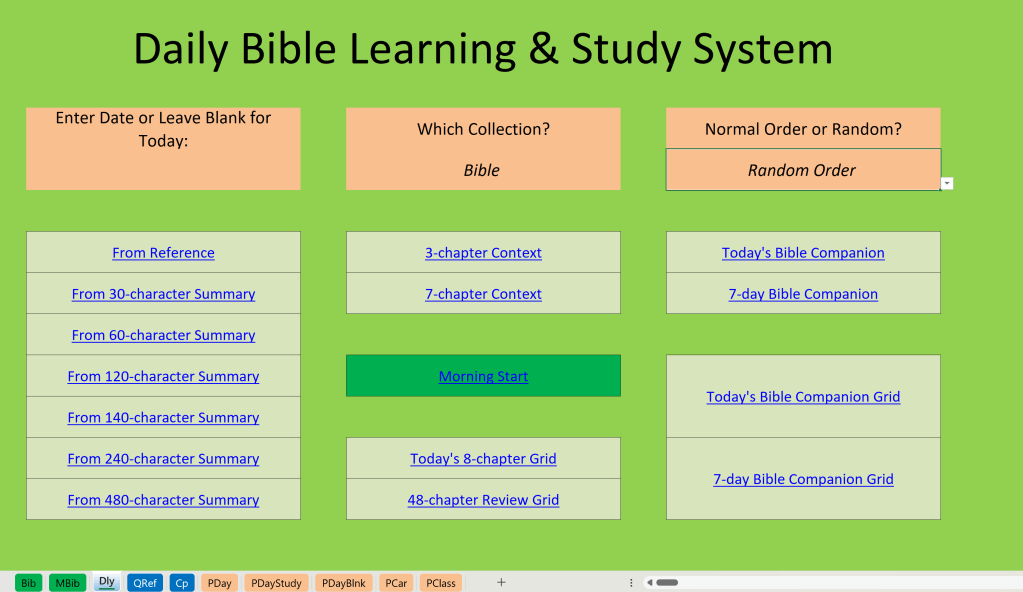
I will explain in later posts what you are looking at here, but for the moment start by focusing on the two small green tabs on the lower left named “Bib” and “MBib”, for “Bible” and “More Bible” respectively. Those tabs lead to separate worksheets that can be thought of as the raw data for my index cards.
I can then interact with that data in a variety of ways to be explained later. Some are accessed over the computer via the dashboard page shown above, while others are based on printouts for various purposes.
My fundamental daily printout can be accessed via the orange “PDay” tab at the bottom, and I routinely print two other worksheets daily using the “PDayStudy” and “PDayBlnk” tabs.
“PCar” prints out a version that can lead to — safe — Bible study while driving, and “PClass” lets me plan for upcoming classes in a way that dovetails with my daily learning system.
If I want to either quiz myself as if I am using flash cards, I set the orange “Collections” button in the upper middle of the screen to whatever subset of Bible chapters I want, and then by using “Random Order” just to its right I can quiz myself randomly. If instead I choose “Normal Order”, I can skim my chapters in summary fashion in order as if I am reading a condensed version of whatever part of the Bible I want in my own words.
Much more will be explained later including how you can use equivalent versions using your own summaries on the website once it is built.
The second main tool I use is my “Bible Verse Recognition” tool, and the below screenshot is it’s dashboard page on my current spreadsheet:
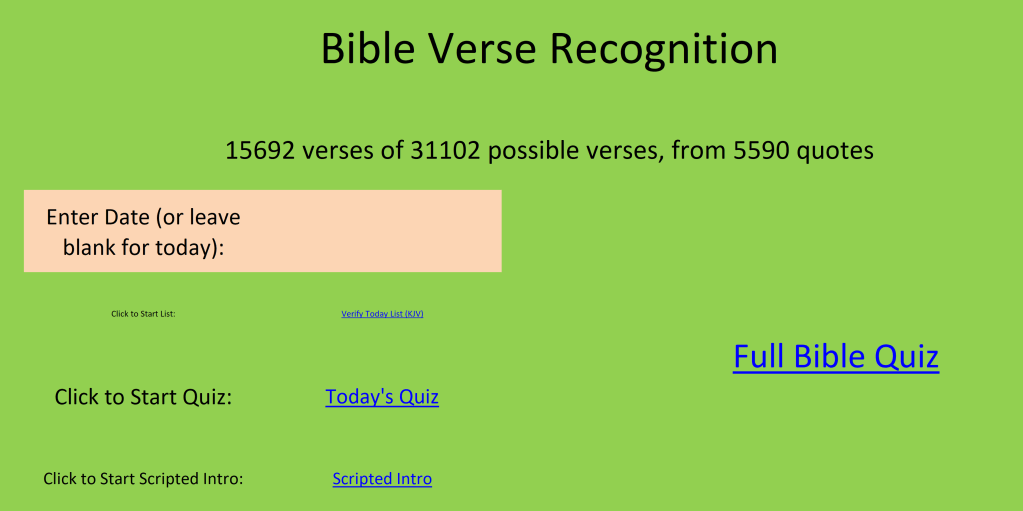
More will be explained later about this tool, so for now that tantalizing screenshot will have to be left as a tease.
The final tool I will tease here are my PowerPoint files, one for each chapter of the Bible. While they can be used in a variety of ways, for the moment I will show you one way that I use them — as a study supplement to my 8 daily chapters. I am writing this on Sunday, August 3rd, and the screenshot below shows the slide sorter view of my daily PowerPoint collection for today’s 8 chapters after I studied them this morning:
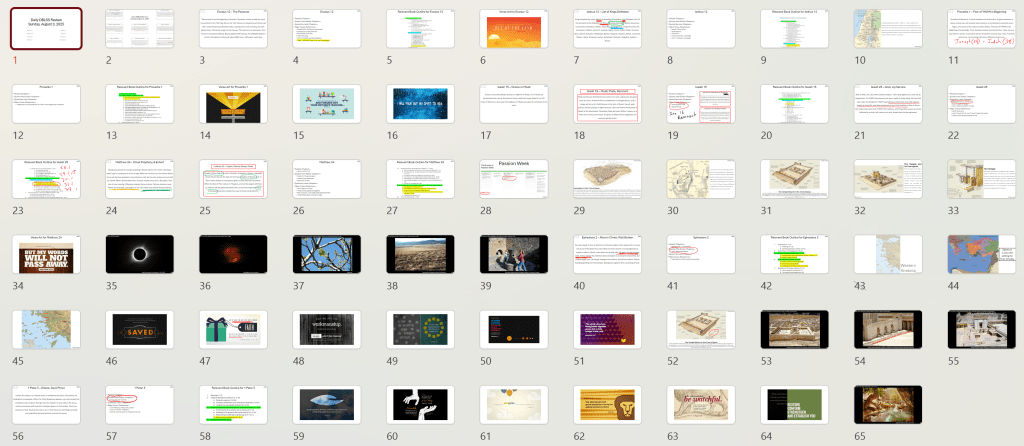
I know that the screenshot makes the individual slides too small to read, but you can still sense that each chapter is different though with some commonalities. Each chapter has my “title” and “summary” plus other standardized data, and then as appropriate I am adding outlines of the Bible books, maps, pictures, charts, and relevant photos. You might also be able to make out that I am doodling notes as I go, all as a way of developing a good working memory of every chapter while also improving the slides for each chapter for the next time I use them.
It is also very easy to set PowerPoint up to transition through these slides automatically as a self-running presentation, and sometimes I leave the computer running through these while I am working on other things around the house. It’s almost like leaving the TV on but instead of watching through some mindless show I have my screen showing Bible study materials that I have already interacted with, and as I catch glimpses of the screen they are further impressed on my memory throughout the day.
Future users of the website can use one, two, or all three of these tools once they are fully built, so each person can choose what works best for them.
Beginning tomorrow, Lord willing, I will plow through the regrettable but necessary task of giving some caveats about issues associated with the website and its planned tools.
 Memorize the Bible
Leave a comment